This is a:
SasaDaily hypothetical business case.
It is not a real customer case published by Google.
Imagine a:
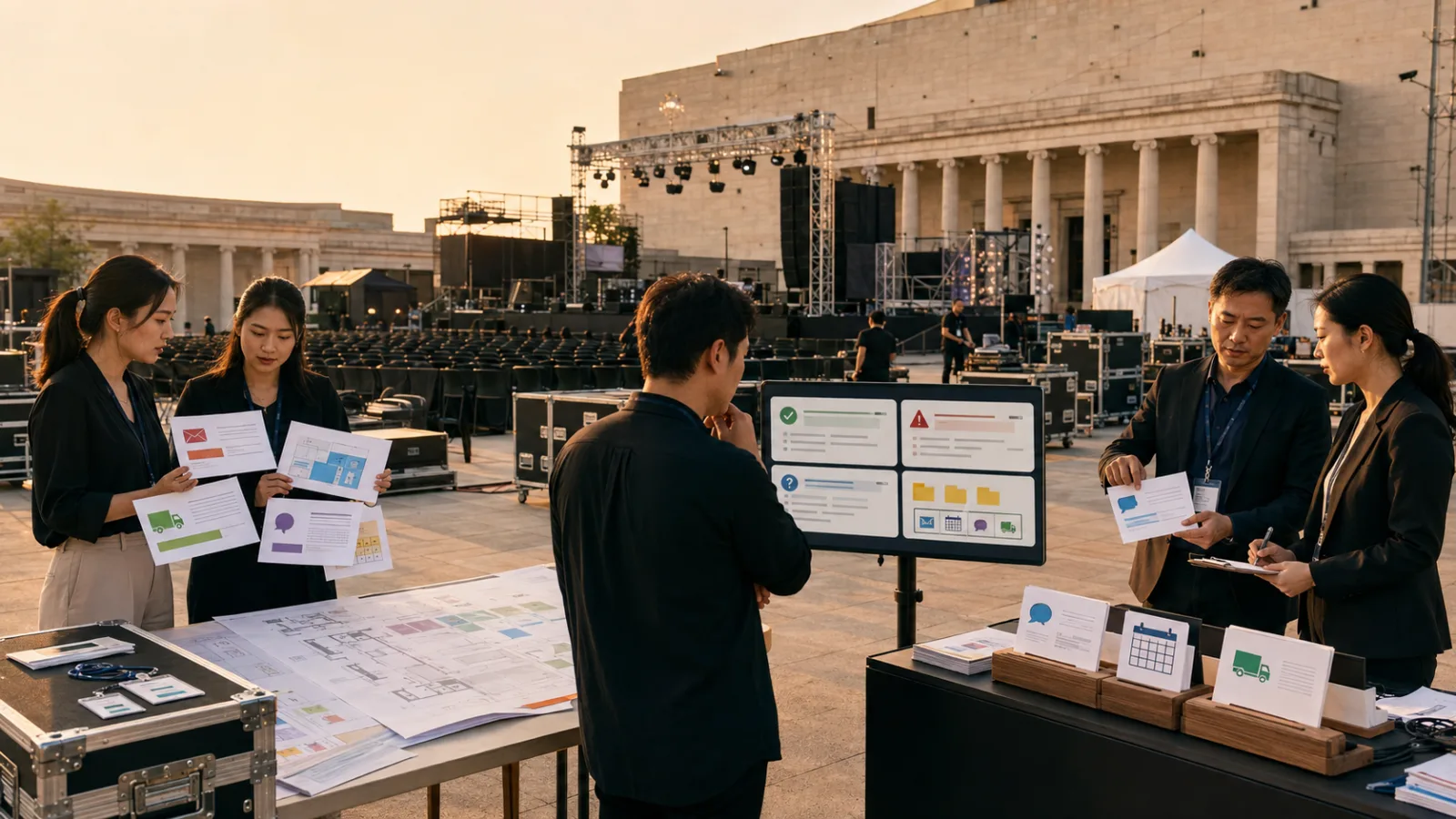
5-person small event planning company.
The team is simultaneously executing:
A corporate product launch.
A brand media event.
A 300-person forum.
On the surface,
the biggest tasks are:
Venue.
Stage.
Lighting.
Schedule.
Guests.
But what’s actually easiest to get wrong every day is often:
Which piece of information is the latest version?
Client rescheduling info scattered across four places
For example, on Tuesday afternoon,
a client emails saying:
The keynote speaker was originally arriving at 14:00,
but may be delayed.
The project manager asks in Google Chat:
“Should we push back the rehearsal?”
The producer uploads the updated Run of Show to Drive.
Someone else already changed the staff meeting time in Calendar.
By Wednesday morning,
the boss just wants to know:
What is the final confirmed time?
Then everyone starts:
Searching Gmail.
Checking Chat.
Looking at Drive.
Reviewing Calendar.
And asking in the group chat:
“Which version is the final one?”
This is a very typical case of:
Context-costs for small teams.
Ask Gemini is best applied to first solve the "finding the right info" problem, not "handling the event"
Instead, it’s about:
Retrieving the same piece of information first.
The newly released Ask Gemini in Google Chat
can leverage Workspace context from Gmail, Drive, Calendar, and more,
to help locate data, organize conversations, identify action items, prepare communications, and manage some tasks.
This event company shouldn’t start by saying:
“Handle everything for Project Alpha.”
But rather focus on:
The time-consuming first step every day:
Finding the latest context.
Define internally that AI is an entry point, not the source of truth
This is crucial.
If the company itself doesn’t know
which schedule is the official time,
AI can’t fix that.
So this event company established:
Official client requirements
Based on:
Client confirmed emails
as priority.
Internal confirmed execution times
Based on:
Approved Master Run of Show
as final.
Calendar
Responsible for:
Actual staff scheduling.
Google Chat
Responsible for:
Discussion and quick coordination.
When Ask Gemini detects conflicting info,
the team knows which source
holds higher decision authority.
AI’s biggest challenge is when all four sources are true but conflicting
For example:
Email says:
Speaker arrives at 14:30.
Chat says:
Producer says possibly 15:00.
Drive still shows:
Original schedule at 14:00.
Calendar has:
Staff meeting time changed to 13:30.
All four pieces of information really exist.
If AI tries to "pretty up" by picking one,
like 14:30,
that actually creates a risk.
So the team instructs Ask Gemini to:
Preserve conflicts when found.
Do not automatically fuse four versions
into a single answer.
Each morning, ask four key questions first
The project manager opens Ask Gemini and inputs queries like:
Only process Project Alpha.
Only check last 48 hours.
Find:
- Client’s officially confirmed changes
- Explicitly assigned to-do items
- Conflicts in time, venue, or schedule
- Issues that must be resolved today to proceed
Keep source for each item.
Do not send emails, update Calendar, create tasks, or edit documents in this initial pass.
The purpose of this prompt is not to make AI too smart,
but rather to make the scope of work very clear.
For the first pass, AI should only deliver "intelligence"
For example:
Confirmed
Client official email confirms:
Speaker arrival is delayed.
Pending confirmation
Chat mentions:
“Should the rehearsal be pushed back too?”
But no official confirmation found yet.
Data conflicts
Drive schedule still lists old times.
Must address today
If the speaker’s time truly changes,
then these need reconfirmation:
Photography.
Lighting.
Host.
Venue timing.
So the project manager can instantly tell
where the next verification step is.
This is far more useful than asking AI to "summarize recent messages"
The event company may have hundreds of messages per day,
mostly just:
Received.
Okay.
I’ll check.
Vendor responded.
Change image.
Confirm on Friday.
If AI compresses 300 messages into 50-line summary,
the team remains busy.
What really helps is:
What changed?
Who needs to handle it?
Where are conflicts?
What needs immediate resolution today?
The second step is asking AI to prepare client replies
After the project manager confirms
the speaker’s time really has changed,
they can ask:
Based on the confirmed client email,
help draft a reply.
State we received the schedule change,
and are confirming rehearsal and staff timing.
Do not promise a finalized Run of Show.
Do not add quotes, dates, or service details on your own.
Only then does Ask Gemini move from:
Find
to:
Prepare.
But still not:
Send.
Why human approval is needed before sending
Event company emails can lead to:
real commercial commitments.
For example:
“No problem, we can delay.”
may seem simple, but it actually means:
Extended venue time.
Overtime for staff.
Additional photography hours.
Extended lighting.
Host schedule changes.
Additional costs begin to add up.
AI may not know
how much money such a phrase implies.
So writing it
and
the company committing to it
must be separate.
Third step: AI can suggest meeting times but don’t update calendar automatically
If timing changes require a 30-minute meeting with
client, venue, and producer,
Ask Gemini can help by:
finding available times.
The company’s process is:
Say first:
Find three 30-minute slots when everyone is free.
List options first, do not create or change Calendar events.
Once the project manager confirms,
they decide which invitation to send.
Calendar changes affect others, so need extra care
“Picking the wrong time”
is an informational error.
“Changing a six-person meeting”
is an operational mistake.
The cost difference is huge.
The company splits AI tasks into:
Viewing
More automated.
Preparing
Mostly AI-driven.
Actual changes affecting others
Require human approval.
Fourth step: Automatically pull scattered context together 30 minutes before meetings
Event planners often face:
Meetings start and someone realizes
they didn’t know the client changed something yesterday.
Ask Gemini is well-suited for:
Pre-meeting briefs.
For example:
I have a Project Alpha production meeting in 30 minutes.
Check past 7 days only.
Summarize:
Confirmed changes,
Pending tasks,
Conflicting info,
Decisions needed today.
Include sources.
Do not resolve conflicts automatically.
Why is that last sentence important?
Because some issues require team meetings, such as:
Client wishes to extend the event by 30 minutes,
but venue only offers 15 minutes more.
AI can:
Highlight this conflict.
But how to handle it may involve:
Pricing.
Schedule.
Staffing.
Client relationship.
We cannot let a well-organized AI
turn decision-requiring issues
into
AI-decided outcomes.
Fifth step: Separate "proposals" from "decisions" after meetings
If someone says in a meeting:
“Maybe extend photography by 30 minutes?”
This is a:
proposal,
not a:
formal decision.
So the company categorizes notes into:
Confirmed decisions
What’s officially approved.
Pending confirmation
Items still needing client or vendor agreement.
Suggestions
Ideas proposed but not approved.
Actions
Who will do what.
This prevents AI from mistaking
“Someone mentioned this”
for
“Company decided this.”
The most dangerous scenario is when “everyone assumes someone else confirmed”
For example:
Sales thinks the project manager checked with venue.
Project manager thinks producer asked already.
Producer assumes client was just discussing.
On event day,
no one actually confirmed.
One big value of Ask Gemini is helping teams quickly find:
What evidence exists right now.
Rather than relying on:
“I seem to remember it was mentioned.”
Sixth step: AI missing info doesn’t mean it didn’t happen
The company also has a rule:
If Ask Gemini says:
Did not find client confirmation.
That doesn’t become:
Client did not confirm.
The difference is huge.
The correct understanding is:
No confirmation was found in this search.
High-risk items like:
Event dates,
Pricing,
Cancellations,
Refunds,
Venue,
Equipment quantity,
Insurance,
Payments,
if missing from AI search,
should be double-checked in original systems.
Ask Gemini is not a company-wide auditing system
It’s best suited for:
Quickly locating work context.
Not for:
Guaranteeing all historical data is fully verified.
The company’s rules can be simple:
Daily coordination
Ask Gemini preferred.
Formal commitments
Check original sources.
Completeness verification
Inspect official systems.
Seventh step: Each project should define a clear “data authority hierarchy”
For example:
Level 1
Client official emails.
Signed approvals.
Contracts.
Level 2
Approved master schedule.
Level 3
Calendar.
Level 4
Chat discussions.
This is not a Google standard.
The company must define it themselves.
Why this is more important than prompts
Because prompts can say:
Find the latest version.
But “latest” might
mean only the most recent in time,
not the highest authority.
For example, if the intern says in Chat this morning:
“It should be 15:00.”
That does not override
14:30 confirmed officially by client email yesterday.
Only by encoding company decision rules
can AI truly help.
Eighth step: Let AI identify changes that trigger chain reactions
Events often have this trait:
A time change can
affect ten other things downstream.
For instance, if a speaker is delayed,
it impacts:
Rehearsal.
Lighting.
Audio control.
Photography.
Hosting.
VIP reception.
Catering.
Transportation.
Venue load-in/out.
which all might be affected.
After Ask Gemini finds a change,
you can ask it:
Based on current Project Alpha docs,
which scheduled tasks might this change affect?
Only list items requiring human confirmation.
Do not update schedules automatically.
AI thus moves from:
Finding changes
to:
Impact assessment assistant.
This is where cross-Workspace context is truly valuable
Looking at Email alone:
You only know the client changed the time.
Looking at Calendar alone:
You only know who’s busy when.
Looking at Drive alone:
You only see the schedule.
Looking at Chat alone:
You only see team discussions.
Putting all these together
in the same work problem allows you to quickly see:
If one thing changes, what else must be handled?
But impact analysis should not become automatic edits
For example, if AI thinks:
Photography should be pushed back,
it doesn’t mean
the photographer is available.
So AI should generate a:
“Need confirmation to extend photography by 30 minutes.”
not
“Add 30 minutes to photographer’s calendar.”
The best AI role is to:
Expose dependencies.
Humans then:
resolve them.
Ninth step: Make pre-meeting preparation a standard format
This 5-person company can use the same brief for every meeting, such as:
Latest confirmed changes
Only list confirmed items.
To-do
Owners + deadlines.
Conflicts
Areas where sources differ.
Outstanding issues
Questions that must be decided today.
Sources
Where each important info comes from.
Over time, the team
becomes very accustomed to this.
True efficiency often comes from “fixed format”
If AI gives one kind of summary today,
and another tomorrow,
people have to find
“Where are to-dos now?”
Efficiency does not maximize.
Mature AI workflows
often depend less on
fancy prompts
and more on
consistent outputs.
When to consider Workspace Studio
If the company finds that for every event,
every Friday they must:
organize client’s new changes,
gather to-dos,
update internal sheets,
notify the team,
and the process is
highly repetitive,
then it might be worth automating
some low-risk steps
with Workspace Studio fixed Skills/workflows.
Ask Gemini suits:
Real-time lookups.
Workspace Studio better suits:
Repeatable routine tasks.
Don’t automate the full process on day one
Run two weeks of human checks
to see how well Ask Gemini finds info,
how reliable sources are,
what frequently gets missed,
and which problems are misjudged.
Only then decide
which tasks to fix in place.
Otherwise, automating flawed workflows
just leads to faster mistakes.
Which tasks should not be decided solely by AI?
At minimum, these include:
Official quotes
Involve:
Revenue,
costs,
profit margins.
Changes in client scope
For example,
changing a 3-hour event to 5 hours.
Official delivery dates
Involve multiple resources.
Cancellations and refunds
Have commercial and legal consequences.
Vendor procurement
Creates payment obligations.
External commitments
One “okay” in an email
can mean the company assumes responsibility.
All of these require human approval.
So what does AI actually save?
It’s not typing,
but searching, switching, and re-understanding context.
Here’s a simple sample calculation.
All numbers are
SasaDaily hypothetical,
not official Google ROI.
Assume two project coordinators each spend 40 minutes daily searching context
Example:
Email: 10 minutes.
Confirm Drive latest version: 10 minutes.
Review Chat: 10 minutes.
Check Calendar: 10 minutes.
Two people total 80 minutes daily.
In a 20-day work month,
that’s around 26.7 hours.
After adoption, if average time drops to 15 minutes each
Two people spend:
30 minutes daily.
In 20 days:
10 hours.
Difference:
About:
16.7 hours per month saved.
Again, this is not a guaranteed savings from using Ask Gemini.
It’s a way to calculate your own time cost.
Actual results must be measured internally.
But don’t just measure “fast AI responses”
Measure at least five figures:
1. Time to find official sources before and after?
2. Pre-meeting prep time: any reduction from 45 to 15 minutes?
3. Frequency of using wrong versions: any decrease?
4. Client re-confirmation cycles: less back-and-forth?
5. External commitment errors: ideally near zero?
“Faster searches” mean nothing if errors increase, no ROI
For example, saving 20 minutes each time,
but two scheduling errors monthly,
one wasted vendor trip,
one unhappy client,
ends up costing more.
AI business cases should consider not just
time saved,
but also
rework and error costs.
Another key KPI: How quickly do all affected parties learn about changes?
For example, client changes time at 10:00.
Before,
team notices at 11:30,
photographer informed at 14:00,
venue informed at 16:00.
If Ask Gemini helps project manager discover
impacts by 10:15,
this improves:
Change communication speed.
This is very important for event companies.
Ask Gemini doesn’t have to help companies run more events
It might just save time for
the same five people
spent searching, checking versions,
and asking
“Do you remember what client said yesterday?”
Giving that time back to
on-site quality,
client communication,
content,
and risk management,
which is the real value for small companies.
The most mature workflows are actually quite simple
Step 1: Find
Ask Gemini finds:
Changes.
To-dos.
Conflicts.
Sources.
Step 2: Verify
Human confirms:
Official sources.
Step 3: Prepare
AI prepares:
Replies.
Briefs.
Candidate meetings.
Impact lists.
Step 4: Approve
Project lead decides:
Whether to commit.
Step 5: Act
Actually:
Send emails.
Update calendar.
Update official docs.
The key is not always “humans do the last step”
But rather, depending on risk,
which steps need humans.
Low risk:
Gradually automate.
High risk:
Keep human approval.
For example, internal meeting summaries
can be more automated,
while
client quotes,
venue cancellations,
and official delivery dates
should be handled more cautiously.
This is the replicable method for small companies
You don’t have to be
a 5-person event company.
As long as your work involves:
Email,
Documents,
Chat rooms,
Calendars,
and the same info
is spread across four places,
you can ask:
How much time do I spend daily piecing context together?
If it’s substantial,
this kind of AI work entry
is worth testing.
But don’t mistake company problems for lack of AI
Sometimes the real problem is:
There is no master schedule.
Version names are chaotic.
Anyone can edit official files.
And one chat sentence counts as a final decision.
If the process is
already chaotic,
Ask Gemini will just
highlight the chaos faster.
That’s not bad,
but companies must still
improve processes.
AI is great at finding info but companies still need rules
Conversely,
the stronger AI search,
the more companies need to know:
Which source is
most authoritative.
Who has
decision rights.
Which actions
require approval.
If these aren’t defined,
AI can’t truly
penetrate core operations.
What this event company truly purchased
Is not:
“An AI that chats.”
But rather a:
Work context layer.
Client emails.
Team chats.
Official documents.
Calendars.
Previously scattered,
Ask Gemini brings related segments back
together faster
around the same issue.
But true:
business responsibility
remains
with the team.
The real conclusion of today’s case
The best test for Ask Gemini by a small event company is not:
“Let Gemini run the entire event.”
But rather letting AI take on, in the first pass,
the time-consuming tasks they did manually every day:
Finding info.
Tracking latest changes.
Confirming who said what.
Preparing meetings.
Organizing next steps.
Leaving formal quotes,
time commitments,
purchasing,
payments,
and official external messaging
to humans.
If originally two coordinators spend
20-30 hours monthly
piecing context together,
then the true business opportunity is not
using AI more often,
but
shrinking this largely unpaid, daily draining work.
This is the real value of Ask Gemini for small companies.
Today, progress with AI a little.
Learn one AI tip every day.
Save a little time daily.
Improve skills a bit each day.
SasaDaily, growing with you.