This is a hypothetical business case by SasaDaily.
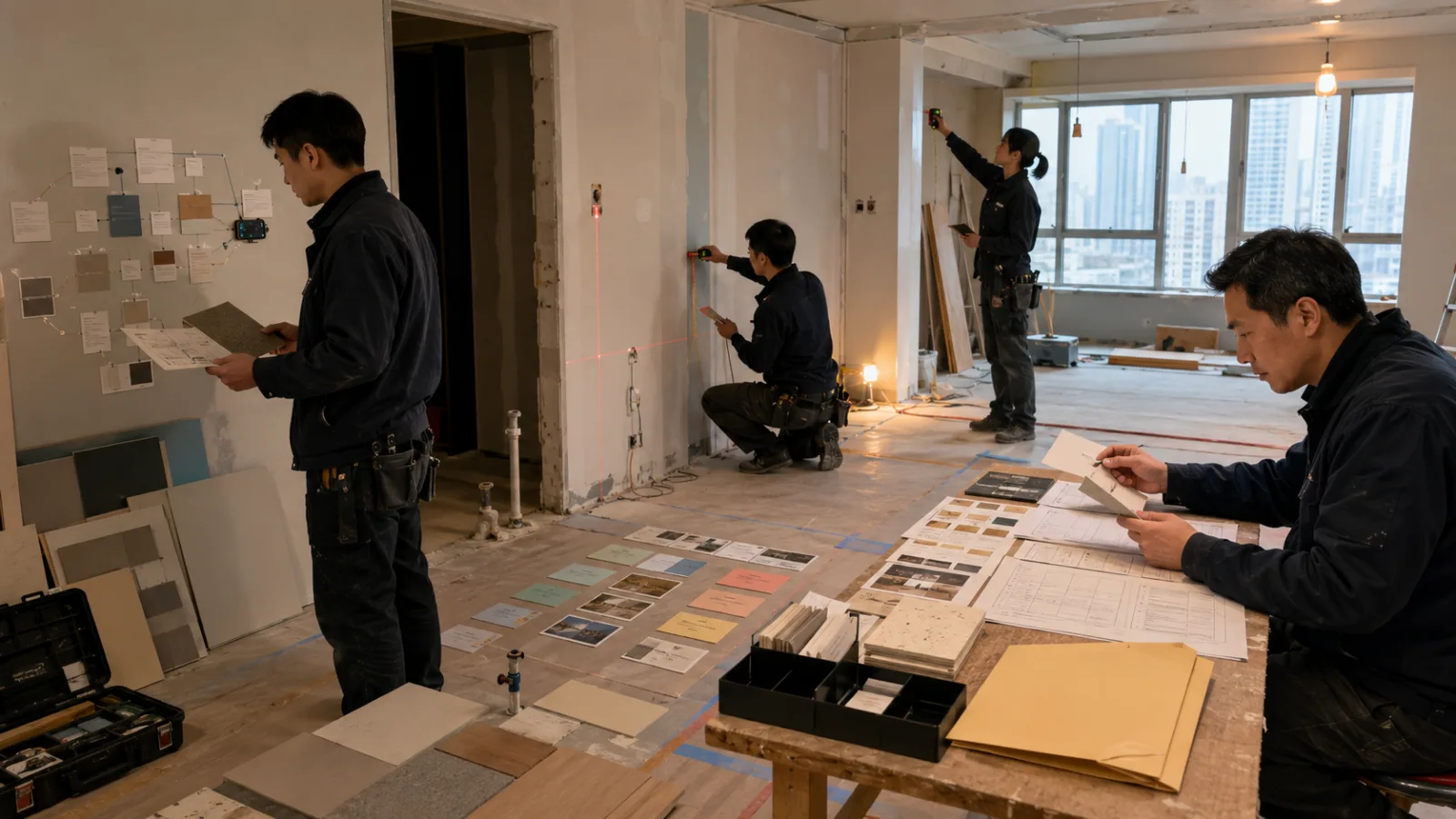
A small 4-person interior renovation estimation studio,
spends most of its time not necessarily on drawing design plans.
Instead, the frequent tasks are:
Visiting clients’ homes to take measurements.
Listening to requirements.
Taking photos.
Noting materials.
Recording outlet locations.
Confirming appliance sizes.
Then going back to dig through emails.
And reorganizing all the scattered on-site details
into documents that can be worked on before quoting.
A single on-site visit might only take:
60 minutes.
But once back at the office,
another:
20 to 30 minutes
is spent rewriting and organizing all previously mentioned, seen, and measured items.
Google’s September 3 launch of:
Gmail Live.
Docs Live.
Keep Live.
fits perfectly for testing this kind of workflow.
However, this company won’t let AI:
Decide materials directly.
Calculate official pricing directly.
Set completion dates directly.
Or send quotations directly to customers.
Instead, AI is used solely for:
Finding information.
Recording on-site observations.
Organizing draft documents.
These three key functions.
Clarification: This is a workflow designed for when the full features are activated on eligible accounts
Google is gradually rolling out these functions.
Gmail Live and Keep Live have started to be available to certain eligible Google AI personal subscription accounts.
Docs Live is currently available to some Pro/Ultra users.
Google has also stated that Workspace Business Customers
will progressively gain access as well.
But some official Help pages still label parts of these features as:
Beta.
English only.
Limited to specific devices.
Therefore, this case doesn't mean that
any renovation Workspace account in Taiwan can immediately use all these features.
More accurately, it means:
Design the workflow first, then test it once the account and language environment become eligible.
The company’s biggest problem: On-site information and past data are always separated
For example, when visiting an old house today,
the client might say on-site:
“Don’t have the living room cabinet go up to the ceiling.”
“We might replace the refrigerator with a bigger model later.”
“I sent measurements in a previous email.”
“Don’t demolish that study room wall yet.”
“The move-in date might be brought forward.”
The problem is:
This information may be scattered across:
What’s spoken on-site today.
Emails from last week.
Product specs sent by the client.
Old quotations.
Photos from the site.
The designer’s own notes.
What’s commonly happened before:
Someone on-site suddenly asks:
“How wide is the refrigerator again?”
Everyone stops.
They pull out their phones.
Search Gmail.
Find attachments.
Then go back to measuring.
Even if it wastes:
2 minutes.
3 minutes.
multiple times a day, it adds up.
Step 1|When you need old info on site, use Gmail Live to “ask” instead of flipping through emails
Suppose you’re measuring the kitchen cabinets on-site,
and the designer suddenly remembers:
The client had sent new refrigerator specs before.
Previously, one would:
Open Gmail.
Search client’s name.
Look for subject lines.
Open multiple emails.
Find attachments.
If Gmail Live is enabled on the account,
the team can simply ask:
“Which email contains the client’s latest refrigerator size?”
Or:
“Did the client mention the move-in date before?”
The core capability of Gmail Live is:
Using natural language to find info based on the mailbox’s content,
and continuing the same conversation thread to ask follow-ups.
This is highly valuable on-site because
staff don’t have to think about
which keywords to input for searching.
But finding answers via Gmail Live doesn’t mean you immediately lock in official measurements
For example, if AI answers:
The refrigerator width is:
a certain number.
The staff will not immediately use that number as:
the official cabinet construction measurement.
Instead, they will:
go back to the original email or attachment for confirmation.
Because during actual construction,
a difference of
1 or 2 centimeters
can cause problems.
Thus, Gmail Live’s role here is to:
help you find the source faster,
not to
replace engineering verification.
Step 2|Don’t try to compile neat notes while measuring on site
On-site, the designer needs to:
observe.
measure.
ask questions.
make judgments.
Stopping every time to open a note app and
organize nice text
actually breaks the on-site flow.
So this company places
Keep Live
at the position of:
quick capture
For example, say out loud continuously:
“Measured width of living room main wall.”
“Curtain boxes not yet confirmed.”
“Might need two more power outlets.”
“Client wants wood color lighter.”
“Still missing washing machine size.”
“Bathroom threshold height needs confirmation on site.”
Say everything first.
Don’t pause to think:
Which category does this sentence belong to?
Keep Live’s function is to:
Take a stream of consciousness
and organize it into:
Notes.
Lists.
and more structured content.
But this company requires sorting into four categories manually afterward
After finishing on-site voice recording,
don’t just get one:
“Interior renovation notes.”
Instead, it asks for post-processing into four zones:
Confirmed.
E.g., genuinely measured on site.
Client’s thoughts.
E.g., prefers lighter wood color.
Missing data.
E.g., no official model number for the new refrigerator yet.
Pending decisions.
E.g., whether that wall will be demolished or not.
Why separate? Because the greatest risk on site is:
turning informal client discussions into official construction requirements.
Step 3|Back at the office, don’t ask Docs Live to “finish the quote” immediately
This is the crucial guideline in this entire workflow.
Once back, the team already has:
the day’s voice record transcription,
photos,
measurements,
client emails,
and old documents.
The easiest thing to do would be to:
give all of it to Docs Live,
and say:
“Make a full interior renovation proposal.”
This company doesn’t do that.
They require:
only creating an Initial Plan first.
What does the Initial Plan organize?
For example:
Current situation.
Client goals.
Confirmed measurements.
Measurements that need confirmation.
Material preferences.
Equipment requirements.
Scope of work.
Pending issues.
Next steps.
Let AI lay out the
document framework
but don’t expand into
a polished 10-page proposal yet.
Why is this step especially necessary for interior renovation?
Because much of the information on the renovation site is
tentative.
For example,
the client may say,
“If the budget allows, we’d prefer wood veneer.”
This doesn’t equal
an official decision to use wood veneer.
The client may say,
“We hope to move in by the end of October.”
But that doesn’t mean
the construction company has committed to finishing by then.
If Docs Live were to produce a full proposal directly,
generative AI might arrange
discussions,
preferences,
and possibilities
into formal chapters
to make the document flow smoothly.
So before going to drafting,
first see:
what the Initial Plan actually understands.
Step 4|Treat the Initial Plan as the first case meeting
The 4-person team doesn’t have to recount the entire site visit.
Everyone just reviews the plan.
The first person confirms:
Are any client needs missing?
The second person confirms:
Are there measurement issues?
The third person confirms:
Is any material or equipment info missing?
The fourth person in charge confirms:
Which items are still not ready for external commitment.
For example, if the plan says:
“Living room wood veneer wall,”
the lead says:
“This is not confirmed yet. Move it to optional choices.”
If the plan says:
“Project completed by October 25,”
the lead says:
“That’s only the client’s hope, not our promise. Move it to scheduling requests.”
Such corrections only take a few seconds during the plan phase.
If you wait until the full proposal is drafted to change this,
you might have to rewrite the entire document.
Step 5|After plan confirmation, ask Docs Live to generate the draft
Once everyone confirms:
the direction is correct,
the info status is clear,
gaps are noted,
and no commitments are made prematurely,
then say:
“Show me the draft.”
Docs Live then expands the plan into:
Site inspection summary.
Requirement organization.
Preliminary scope of work.
Items pending confirmation.
Next steps.
The real time-saving brought by AI is not:
designing interiors,
but rather:
organizing existing, scattered information into the first workable document.
Step 6|Always review five items again in the draft
This company routinely checks:
measurements.
quantities.
material names.
dates.
prices and commitments.
For example, if the draft states:
wall width,
don’t blindly trust
the AI-extracted number from notes.
Go back to the original measurement record.
If the draft says:
client specified a certain brand,
go back to the original email.
If the draft lists
a scheduled construction day,
confirm whether that’s
the client’s wish,
or the company’s actual scheduled slot.
Step 7|AI does not generate the official quotation
This step is critical.
After voice transcription,
AI may know:
the space involved,
material direction,
scope of work,
even info from past projects.
But the company will not say:
“Calculate the official price directly.”
Because the official quote might require checking:
latest vendor costs,
site difficulties,
crew scheduling,
demolition conditions,
waste disposal,
floor levels,
elevators,
community construction rules,
risk factors,
and the company’s desired profit margin.
Therefore, AI can prepare:
quotation drafts,
such as:
which items require price inquiries,
which measurements are confirmed,
which materials are not yet finalized.
But unit prices,
total cost,
payment terms,
additional work,
and the official quote
are all
handled by humans.
Where does AI actually save time?
Not on the design itself,
but on
the massive information management before and after design.
Previously:
Think of a detail on-site.
↓
Write it down manually.
↓
Return to office to reorganize.
↓
Search Gmail.
↓
Confirm what the client said before.
↓
Create new document.
↓
Rewrite site summary.
↓
Then prepare quote.
New workflow is:
Need old info on site
↓
Gmail Live to find the source
New issue on site
↓
Keep Live to capture quickly
Back to office
↓
Docs Live to organize the Initial Plan
↓
Human edits to clarify status and gaps
↓
Generate draft
↓
Human checks measurements, materials, dates, commitments
↓
Official quotation.
The most repetitive mechanical work is shortened.
Looking at some hypothetical numbers
“SasaDaily hypothetical numbers.”
Assuming this studio does:
10
site initial inspections or rechecks weekly.
Originally, each returning to the office requires
25 minutes
to:
find previous client info,
organize notes,
and build case summaries.
10 × 25 minutes equals:
250 minutes,
or
4 hours 10 minutes weekly.
What about after adopting the AI tools?
“SasaDaily hypothetical numbers.”
Assuming Gmail Live, Keep Live, and Docs Live handle:
finding data,
first-round organization,
and document structure.
Humans only need about
10 minutes
for review and corrections.
10 × 10 =
100 minutes weekly.
Theoretically, a weekly time saving of:
150 minutes,
or
2.5 hours.
Monthly (4 weeks), this is approximately:
10 hours saved.
Putting it into time cost
“SasaDaily hypothetical numbers.”
Assuming the average internal hourly cost
for this type of administrative work is:
NT$650 per hour.
Saving 10 hours per month equals
roughly:
NT$6,500 worth of work time freed.
But this shouldn’t be read as:
“The company earns an extra NT$6,500 monthly.”
Because the staff is still employed.
What actually happens is:
10 extra hours of time available for reinvestment.
What business value can that 10 hours deliver?
If it just means employees spend more time scrolling their phones,
the AI return on investment is limited.
But if those 10 hours can be used to:
do two more on-site inspections,
speed up quoting,
track progress,
review construction details,
negotiate with vendors,
and handle real client complexities,
then value is created.
So the real KPI this company tracks is not:
“How many times we’ve used Docs Live,”
but rather:
“How long, on average, does it take from leaving the site to completing the quotation draft?”
Four more metrics to track
First:
On-site information omission rate.
Are fewer things forgotten?
Second:
Manual draft editing time.
How much needs correction after AI summarizes?
Third:
Number of times the client needs to be contacted again.
Does improved on-site info reduce follow-ups?
Fourth:
Official quote turnaround time.
Is the client receiving their quote faster?
If these don’t improve,
AI only:
produces pretty notes,
but doesn’t really improve workflow.
Gmail Live excels at solving “I know something was said before but can’t find it”
Common situations in interior renovations are:
“Did this client say they don’t want a certain material?”
“Was the outlet count ever emailed?”
“Which email contains the appliance model?”
“What was the final move-in date?”
These don’t require complex reasoning,
but the information is buried across many messages.
Gmail Live’s value is:
reducing:
the friction of searching emails.
Keep Live is ideal for “No time to organize now, but don’t forget this”
On-site, the designer may be:
holding a laser measure,
crouched inspecting wiring,
taking photos,
and simultaneously thinking,
“Need to ask the carpenter about this door panel.”
Stopping the work to record a single sentence wastes time.
Keep Live is best for:
saying it out loud first,
capturing it,
and organizing later.
It’s not about beautiful notes,
but rather:
ensuring things don’t get lost.
Docs Live excels at “Lots of info but no structured document yet”
This company doesn’t lack from:
information.
It lacks:
the ability to turn Gmail,
on-site observations,
Keep notes,
and old documents
into a structured document
that everyone can review together.
So Docs Live’s
Initial Plan
is more important than
directly writing a polished proposal.
It lets everyone confirm:
What do we truly know now?
What don’t we know?
What are client desires?
What has the company committed to?
How is this different from the August 27 landscaping case?
SasaDaily previously presented:
A 4-person landscaping company using Gemini Live + Spark to
turn on-site voice notes
into a work checklist.
The core there was:
When working outdoors, voice recordings capture ideas during busy moments, then Spark handles subsequent multi-step tasks.
Today’s case handles a different new workflow:
Voice AI capabilities are now directly integrated into Gmail, Docs, and Keep themselves.
No need for Gemini app as the sole entry point.
Where the work data resides,
voice functions start within that app.
Also, today’s case introduces a very concrete workflow step:
Docs Initial Plan → Human Review → Draft
document workflow.
So it’s not a repeat of the same scenario.
The biggest real-world limitation remains language and rollout
If your team primarily uses:
Traditional Chinese,
and official Help pages still note some Live features as
English only,
don’t rush to fully migrate official work just because you see new functions.
Wait for:
language support,
account rollout,
and enterprise management settings.
When fully eligible,
try with test cases
to validate,
rather than introducing friction chasing new tools prematurely.
Another real concern: On-site conversations may involve client privacy
For example, if you’re standing near:
an elevator,
the building hallway,
a cafe,
or other public spaces,
speaking loudly about:
client’s name,
address,
budget,
door lock issues,
family needs,
may be overheard by others nearby.
So voice AI introduces a very traditional security question:
Where are you speaking?
This differs from cloud data policies.
Even the most secure AI
can’t stop a person physically nearby from overhearing.
The most important data rule: Don’t let voice AI turn guesses into facts
For example, a designer says on site:
“This looks like an RC wall.”
This must remain:
“possible” or “likely.”
Don’t let the final draft say:
“This wall is RC structure.”
Because before altering the wall,
plans,
on-site checks,
and expert evaluations
are needed.
Voice AI excels at turning
fragmented speech
into smooth, complete sentences.
The smoother it sounds,
the easier it is to forget
that the original statement was just a hypothesis.
Thus, this company insists:
Keep uncertainty uncertain.
Don’t let AI upgrade it into fact.
Similarly, client wishes are not company promises
Clients may say:
“Prefer to finish within two months.”
The Docs draft should not write:
“Project duration two months.”
Client may say:
“Try to keep budget under 800,000.”
That doesn’t mean:
the company has agreed that 800,000 is sufficient.
That’s why
official quotations,
timelines,
payment terms,
and scope
are ultimately
human-verified.
Mature voice workflows aren’t “I say, AI does all”
They put voice at the places
where human time is most wasted, such as:
searching emails,
recording on-site observations,
and creating first draft documents.
These three tasks
fit voice well.
But really high-value human skills are:
measuring and judging,
choosing designs,
estimating costs,
managing risks,
taking responsibility,
and making commitments.
There’s no need to give up those to AI
just because voice AI makes speaking easier.
Finally, here is a workflow diagram for this 4-person company
Need old client info on site
↓
Gmail Live
↓
Quickly find original email
↓
Confirm key measurements in original email
Measure, observe, gather client needs on site
↓
Keep Live
↓
Capture brain dump first
↓
Categorize into:
Confirmed / Client ideas / Missing info / Pending decisions
Back in office
↓
Docs Live
↓
Select truly relevant sources
↓
Create:
Initial Plan
↓
4-person rapid review
↓
Separate:
guesses, gaps, undecided items
↓
“Show me the draft”
↓
Generate quotation draft/site inspection summary
↓
Human verification of:
measurements, materials, dates, quantities
↓
Human finalizes:
pricing, timeline, payment terms, official commitments
↓
Deliver to client.
This company doesn’t use AI to:
replace interior designers.
Instead, it helps designers skip the task of:
Reorganizing everything after the site visit when they already know it all on site.
This is the most practical business value of voice AI
in small service businesses.
It’s not:
You don’t have to type.
It’s:
The information gathered on site can more quickly turn into actionable next steps.
Today, progress a bit with AI.
Learn one AI skill daily.
Save a bit of time every day.
Improve a bit every day.
SasaDaily, growing with you.