This is a SasaDaily hypothetical case.
It is not a real customer success story announced by Google.
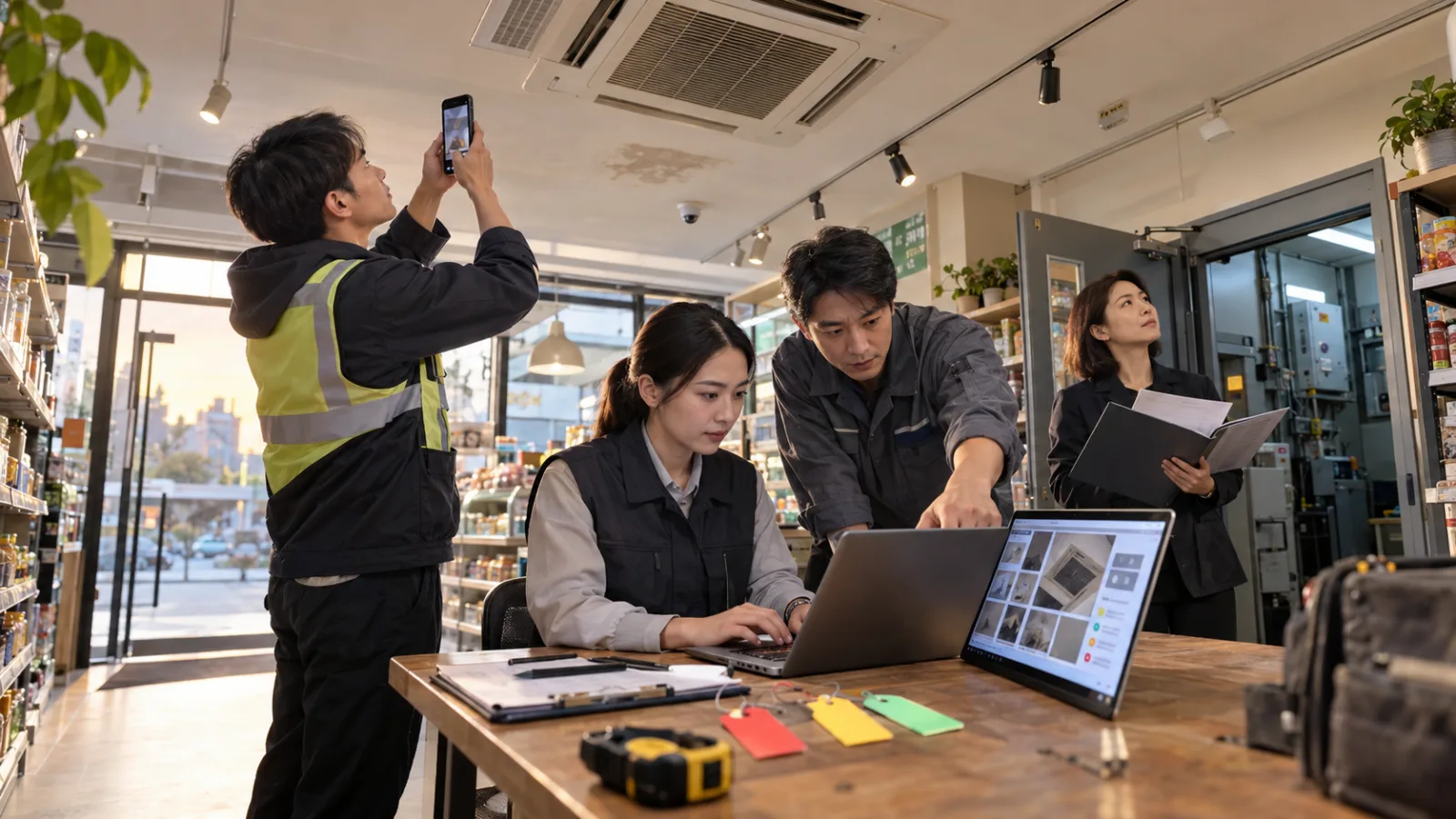
Imagine a 4-person store equipment inspection company.
Their daily work isn’t done sitting in an office.
Instead, they visit various store locations to check:
Air conditioners.
Lighting fixtures.
Walls.
Store signs.
Electrical outlets.
Warehouses.
Basic equipment.
The main time spent on site is:
Observing issues.
But after returning to the office,
they have to spend additional time:
Reorganizing the observed issues into documents.
After inspections, data often scattered in four places
For example, after inspecting a store,
the staff on site might have:
15 photos stored on an Android phone.
Several brief voice recordings.
Paper notes.
Verbal customer supplements.
Plus mental reminders like:
“Follow up on this first.”
“Check that next time.”
Back at the office, they usually have to:
Transfer photos to the computer.
Figure out which photo is from which location.
Transcribe oral notes.
Then organize all this into:
Inspection reports.
Repair lists.
Preliminary pricing data.
The real repetition isn’t the:
inspection itself.
It’s the:
reworking of on-site information after returning to the office.
Googlebook best fits in this stage
One of Googlebook’s core features
is seamless connection between Android phones and laptops.
Google officially provides:
Continue On
to let you pick up tasks started on your phone
and continue them on Googlebook.
Also:
Files
allows direct viewing, searching, and opening of files and photos from your phone right on Googlebook.
So this company no longer needs to:
Take photos with the phone
↓
Send them to themselves via LINE
↓
Download onto the computer
↓
Rename files
↓
Then start writing reports.
Instead, the workflow becomes:
Take photos on site
↓
Open Googlebook back at the office
↓
Directly continue working on the same batch of tasks.
This may seem like just skipping a few steps.
But the small steps are exactly where on-site workers often lose time daily.
Step 1: Humans still decide "what to photograph"
For example, when an inspector sees:
Clear water stains around an air conditioner vent,
they don’t say to AI:
“Help me find the problem.”
Instead, they perform professional work first:
Confirm the location.
Take panorama shots.
Take close-ups.
Capture the equipment model.
Measure necessary dimensions.
Record the现场状况.
Because no matter how good AI is at organizing,
if the original photos don’t capture the true issues,
it can’t be fixed later.
So the first responsibility remains:
Humans gather correct evidence.
Step 2: No need to hunt for photos at the office
After the inspection,
the Android device might contain photos of:
The storefront.
The ceiling.
The air conditioner.
Electrical panels.
Warehouse.
Lighting equipment.
More than a dozen images.
Googlebook’s Files feature accesses selected files and photos directly from the phone.
The team can organize photos by:
Store location.
Area.
Equipments.
This step truly saves:
data transfer time.
Not professional judgment time.
Step 3: Use Rambler to clean up oral notes first
On-site staff rarely have time to both inspect equipment and create polished reports.
More realistically, they dictate after leaving the store:
“Water stain on right side of vent of air conditioner #2, no dripping now, first confirm the drainpipe; fourth light in warehouse is off; speed of the rear door closer is too fast...”
These notes are usually messy.
Googlebook’s Rambler
can organize these scattered oral notes
into structured text such as:
Abnormal items.
Needs confirmation.
Follow-up actions.
The team don’t need to recall from memory at night:
“What exactly did I see this afternoon?”
But Rambler is not the official inspection record
This is an important distinction.
Rambler’s role is
to make a brain dump easier to read.
It is not
a verbatim recording for evidence.
The team’s rule is:
If the content involves:
Equipment failure causes.
Safety risks.
Exact customer wording.
Precise measurements.
Pricing terms.
One must not rely solely on Rambler's cleaned-up version.
Instead, always refer back to:
Original photos.
Original measurements.
On-site records.
Confirmed by humans.
In other words:
AI can organize observations,
but cannot independently upgrade observations to
formal technical conclusions.
Step 4: Use Magic Pointer to handle only the abnormal photo
Next, if the report contains a photo of:
Water stains on the ceiling,
the traditional approach might be:
Look at the photo.
Return to the document.
Write down:
Location.
Condition.
Suggested follow-up.
Googlebook’s Magic Pointer can bring Gemini AI alongside the current text, image, and context.
The team can point to:
that specific water stain photo
and instruct:
“Only summarize observations visible in this photo, list items requiring human verification, don’t diagnose causes.”
This is crucial.
AI does not need to guess from
the entire dataset
but processes
the specified context only.
Why not simply ask, "Where is this air conditioner broken?"
Because seeing:
water stains
in a photo does not mean you already know if the cause is:
clogged drainpipe,
condensate,
insulation damage,
pipe leakage,
or something else.
If AI sees a photo and directly writes:
“Drainpipe blocked, replacement needed.”
That crosses the line from
data organization
to
professional diagnosis.
So this company limits Magic Pointer’s task to:
describe only what can be seen.
For example:
Obvious discoloration on the right side.
Water stain roughly near the vent.
Photo does not confirm internal piping.
Recommend on-site technicians verify further.
Finally,
human experts make the diagnosis.
Step 5: Technicians compare the AI draft with the actual equipment
The real product this inspection company sells is not:
an attractive report.
It’s:
reliable judgments.
So repair technicians will review:
Original photos.
Equipment records.
Past repairs.
Return on-site if necessary.
Then decide:
Whether parts need dismantling.
Whether replacement is necessary.
If cleaning is enough.
If there are safety concerns.
The AI draft is just a
checklist pending confirmation.
Not a work order answer.
Step 6: Pricing stays in human hands
Suppose AI has identified
three abnormalities.
Can it directly estimate costs?
Send to the customer?
No.
Because formal quotes involve at least:
Material costs.
Labor.
Transportation.
Warranty.
Vendor pricing.
Project complexity.
Company margins.
Customer contracts.
This company sets the rule that AI helps with:
organizing pending quote items.
creating drafts.
checking for omissions.
But:
final pricing,
scope of work,
delivery time,
warranty,
and customer commitments
are all approved by humans.
The true value of Continue On is not "syncing"
Many people see Googlebook’s
Continue On
and first think,
“the phone and computer sync.”
But for this company,
the real value is:
maintaining workflow continuity when switching devices.
On-site:
Android.
In-office:
Googlebook.
Previously, every device switch meant:
Searching for photos.
Sending files.
Reopening pages.
Re-discovering context.
Googlebook aims to eliminate
this transition cost.
Create My Widget can build a simple to-do panel
This company might even use:
Create My Widget
to create a very simple desktop widget.
No need for a full enterprise system.
It just shows:
Inspections to complete today.
Reports pending human review.
Items pending quotes.
Customer responses pending.
The real purpose is not:
to build a fancy dashboard.
But so the team, when opening their laptops daily,
can immediately see:
which tasks are stuck on human input.
As AI expedites data organizing,
the next bottleneck often becomes:
human approval.
Which steps are entrusted to AI?
The company’s process can be split into:
On-site observation
↓
Android photo capture/recording
↓
Googlebook data continuation
↓
Rambler organizes oral notes
↓
Magic Pointer organizes specified photos
↓
AI creates draft inspection report
↓
Technicians confirm causes
↓
Managers confirm repair scope
↓
Manual pricing
↓
Customer confirmation
AI mainly handles:
data transfer.
organization.
classification.
initial drafting.
Humans mainly handle:
on-site decisions.
failure diagnosis.
safety responsibilities.
costs.
commitments.
This boundary must be very clear.
Estimated time savings?
This is just a SasaDaily hypothetical calculation.
Suppose the team inspects
8 stores per week.
Previously, after each store inspection,
time spent on photo organization and file transfer: 10 minutes
Rewriting notes: 10 minutes
Drafting initial report: 15 minutes
Total:
35 minutes.
For 8 stores:
280 minutes
approximately:
4 hours 40 mins.
After introducing the Googlebook workflow,
each store’s organization time drops to:
20 minutes.
For 8 stores:
160 minutes.
That is:
2 hours 40 mins.
A weekly saving of:
approximately 2 hours.
Over four weeks: about
8 hours.
This is not a Google official result.
Nor does it guarantee that buying Googlebook will save 8 hours.
Actual results must be measured individually.
The key KPI isn’t how many times AI was used
The company should not just track:
“How many times Gemini was used today?”
Instead, focus on:
How long from inspection end to report completion?
How many photos still require manual searching?
How many AI drafts are rejected by technicians?
How many abnormalities are missed?
How long does human review take?
How many revisions before final pricing?
If
AI reports finish in 3 minutes,
but technicians spend 20 minutes fixing errors,
that does not count as
efficiency improvement.
The real measure is:
The quality of the final usable output.
Best to test partial workflows first
This company does not need to immediately
apply AI to all stores,
all photos,
and all reports.
The smallest test can be:
one store,
choosing the most common task:
photo organization + draft report creation,
run for one week,
testing just three points:
Were fewer photos lost?
Were fewer notes retyped?
Did technician reviews take longer?
If truly faster, then add:
Rambler.
Magic Pointer.
Widgets.
Don’t overload the workflow with all functions at once just because the new laptop can do many things.
Currently Taiwan is not in Googlebook’s initial release market
This case remains a:
hypothetical future workflow possibility.
Google opened pre-orders for Googlebook on September 21,
with initial release markets including:
USA.
Canada.
UK.
Ireland.
France.
Germany.
Australia.
Official list:
Taiwan is not included.
So Taiwanese SMBs should not interpret this article as:
“I can buy Googlebook at a Taiwan Google Store today and implement it.”
Whether the entire device and workflow can be used in Taiwan
must wait for further Google announcements.
The real problem this case aims to solve
Is not:
“Inspection companies need an AI laptop.”
But:
After on-site work is finished,
don’t redo the data from scratch.
The phone has already taken photos.
People have already spoken their observations.
The equipment has already been inspected.
AI’s real appropriate role
is to link all these existing pieces of info,
organize them,
and generate a draft,
then let people who truly understand the equipment
make the final decisions.
This is the AI SMBs should try first:
Do not replace professional work upfront.
Rather, eliminate the piles alongside professional tasks like:
data transfer,
retyping,
organizing,
and repeated instructions.
If you want to know which steps in your workflow could best be handed to AI first, leave a comment with the word "workflow."
Today, advance a bit with AI.
Learn one AI skill every day.
Save a little time daily.
Enhance your ability step by step.
SasaDaily grows with you.